
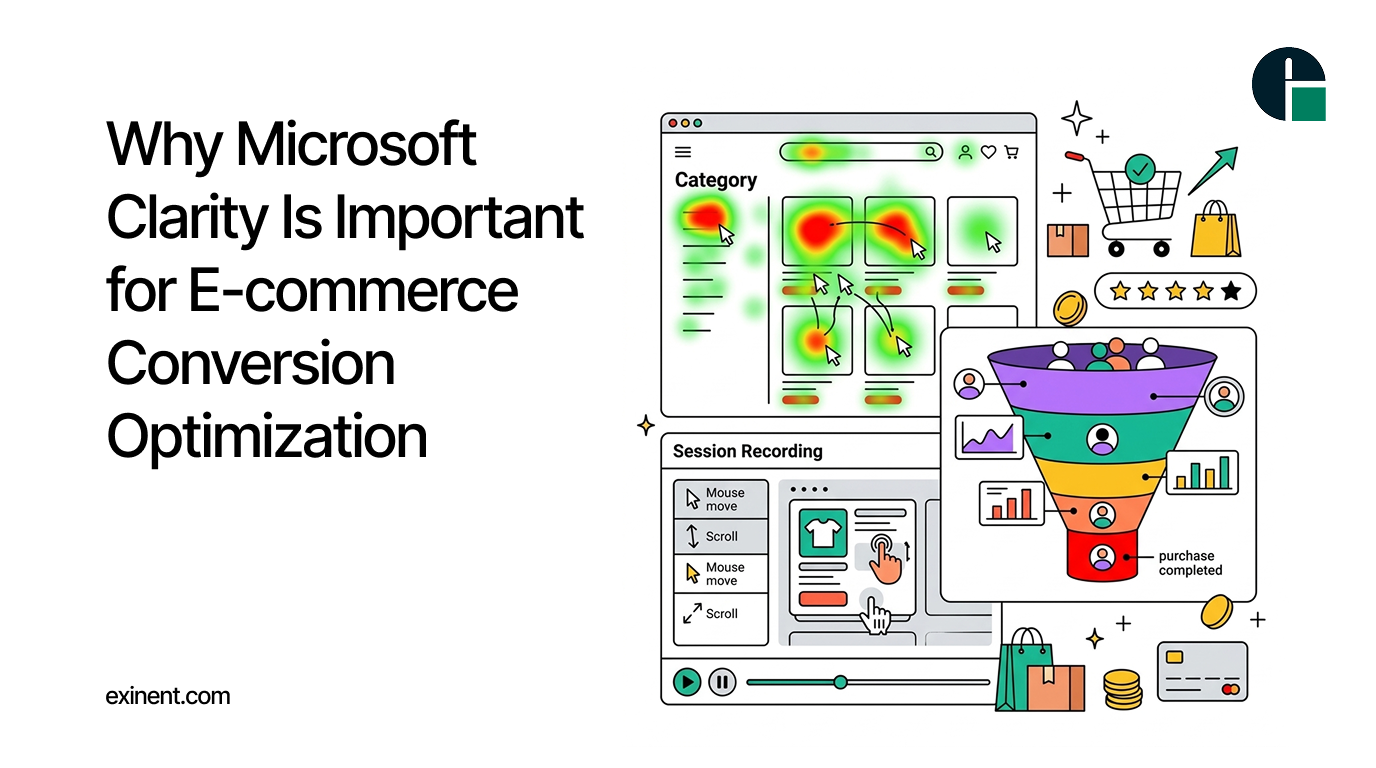
For an e-commerce business, attracting visitors to your website is only the first step. The real challenge is turning those visitors into customers. Even with strong products, competitive pricing, and effective marketing campaigns, customers may leave without completing a purchase
This is where Microsoft Clarity can make a significant difference. Clarity is a free behavioral analytics tool that helps e-commerce businesses understand how visitors interact with their websites. Instead of relying only on traditional analytics metrics, it provides visual insights into user behavior through session recordings, heatmaps, and other behavioral data.
By understanding what shoppers actually do on your website, you can identify usability issues, remove conversion barriers, and create a smoother shopping experience.
What Is Microsoft Clarity?
Microsoft Clarity is a user behavior analytics platform designed to help website owners understand visitor interactions. It captures insights such as clicks, scrolling behavior, navigation patterns, and areas where users may experience difficulties.
For e-commerce websites, this information can be especially valuable because small usability problems can have a direct impact on product engagement, cart additions, and completed purchases.
Traditional analytics might tell you that visitors are leaving a product page. Clarity can help you investigate why they are leaving by showing how users interacted with the page before exiting.
Why Is Microsoft Clarity Important for E-commerce?
1. Understand How Customers Navigate Your Store
E-commerce websites often contain multiple categories, filters, product pages, promotional banners, and checkout steps. It can be difficult to determine whether customers are finding what they need quickly.
Microsoft Clarity helps you visualize customer journeys and identify navigation patterns. You can see which pages receive the most attention, where users click, and whether shoppers scroll far enough to see important content.
These insights can help you improve menus, category structures, product discovery, and internal navigation.
2. Identify Conversion Barriers
Customers may abandon a purchase for many reasons. A confusing checkout process, unclear product information, distracting pop-ups, slow interactions, or difficult navigation can all contribute to lost sales.
Session recordings allow you to observe real user interactions and identify potential friction points.
For example, you may notice that shoppers repeatedly click an element that is not actually clickable. This could indicate that its design makes users expect an action that does not exist. Fixing such issues can create a more intuitive shopping experience.
3. Use Heatmaps to Improve Website Design
Heatmaps provide a visual representation of how visitors interact with different parts of your website. They can show where users click, how far they scroll, and which areas receive attention.
For e-commerce businesses, this can help answer important questions:
- Are customers clicking the “Add to Cart” button?
- Are shoppers seeing product benefits and key information?
- Are important calls-to-action positioned effectively?
- Are visitors ignoring promotional banners?
- Do users reach customer reviews and product specifications?
The answers can help you make data-driven design decisions instead of relying entirely on assumptions.
4. Reduce Cart and Checkout Abandonment
Cart abandonment is one of the biggest challenges for online retailers. A customer may add products to their cart but leave before completing the order.
Microsoft Clarity can help you analyze behavior throughout the purchase journey. By reviewing recordings and behavioral patterns, you may discover where customers hesitate or encounter difficulties.
For example, users might struggle with a form field, repeatedly go back to a previous page, or encounter an element that prevents them from moving forward.
Once these problems are identified, your development and marketing teams can work on improving the checkout experience.
5. Discover User Frustration
Not every customer complaint reaches your support team. Some shoppers simply leave the website when they encounter a problem.
Behavioral analytics can help uncover signs of frustration, such as repeated clicks, rapid interactions, or unusual navigation patterns.
These insights can reveal problems that conventional conversion reports may not clearly explain. Addressing these issues can improve both usability and customer satisfaction.
6. Improve Product Pages
Product pages play a critical role in e-commerce conversions. Customers need enough information to feel confident before purchasing.
Clarity can help you understand how visitors interact with product images, descriptions, specifications, reviews, pricing information, and calls-to-action.
If shoppers consistently ignore important information or fail to reach a key section, you can experiment with changing the page layout, content structure, or placement of conversion elements.
7. Make Data-Driven Conversion Optimization Decisions
Conversion rate optimization should not be based solely on opinions or assumptions. Clarity provides behavioral evidence that can support website improvement decisions.
For example, rather than assuming that a banner is effective, you can examine whether users actually interact with it. Instead of guessing why visitors abandon a product page, you can investigate their behavior.
This makes your optimization strategy more practical and focused.
Microsoft Clarity and E-commerce Analytics Work Together
Microsoft Clarity does not have to replace your existing analytics platforms. Instead, it can complement tools such as Google Analytics.
Traditional analytics can help you understand what is happening, such as traffic sources, conversion rates, bounce rates, and sales performance. Clarity can help you investigate how users behave on individual pages.
Combining quantitative and qualitative behavioral insights gives e-commerce teams a stronger understanding of the customer journey.
How to Use Microsoft Clarity for Conversion Optimization
To get the most value from Clarity, focus on specific conversion goals. Start by analyzing important pages such as product pages, category pages, shopping carts, and checkout pages.
Look for patterns rather than focusing on a single recording. Identify recurring issues, prioritize problems that affect a large number of users, make improvements, and then monitor behavior again.
You can also use Clarity insights alongside A/B testing to evaluate whether website changes improve user engagement and conversions.
Final Thoughts
Microsoft Clarity is an important tool for e-commerce conversion optimization because it helps businesses see their websites from the customer’s perspective. Heatmaps, session recordings, and behavioral insights can reveal usability problems, conversion barriers, navigation issues, and opportunities for improvement.
For e-commerce businesses looking to increase conversions, reduce abandonment, and create better customer experiences, understanding visitor behavior is essential. By using Microsoft Clarity alongside traditional analytics and testing tools, store owners and marketers can make more informed decisions and continuously improve their online shopping experience.
Need Help Optimizing Your Magento Store?
Microsoft Clarity can reveal where shoppers experience friction, but identifying and resolving the underlying technical, UX, performance, and conversion issues requires a broader website assessment. Explore Exinent’s Magento Site Audit Services to uncover opportunities to improve your Magento store’s performance, usability, and conversion potential.
FAQ’S :
What is Microsoft Clarity, and how does it help e-commerce conversion optimization?
Microsoft Clarity is a free behavioral analytics tool that shows how visitors interact with an e-commerce website. It uses features such as heatmaps, session recordings, and behavior insights to identify usability issues that may prevent customers from completing purchases.
Why is Microsoft Clarity important for e-commerce websites?
Microsoft Clarity helps e-commerce businesses understand why customers leave, click, scroll, or abandon pages. These insights can reveal problems with navigation, product pages, checkout flows, or calls to action that traditional analytics may not explain.
How does Microsoft Clarity improve e-commerce conversion rates?
Clarity helps identify friction points in the customer journey by showing real user interactions. Businesses can analyze these issues, make website improvements, and then compare behavior before and after changes to determine whether conversions improve.
What are the main benefits of using Microsoft Clarity for conversion optimization?
Key benefits include identifying confusing navigation, detecting unresponsive clicks, analyzing product-page engagement, and understanding checkout behavior. These insights help businesses prioritize website changes based on actual user behavior rather than assumptions.
How can e-commerce businesses use Microsoft Clarity heatmaps to increase conversions?
Businesses can use heatmaps to see where visitors click, scroll, and focus their attention on key pages. A practical process is to identify low-engagement areas, investigate the cause, improve the page, and measure behavior again.
Can Microsoft Clarity help reduce e-commerce cart abandonment?
Yes. Session recordings can help businesses identify where shoppers experience friction before abandoning their carts. For example, repeated clicks, confusing form fields, or difficult navigation can indicate issues that should be addressed in the checkout process.
Is Microsoft Clarity free for e-commerce businesses?
Yes, Microsoft Clarity is available as a free behavioral analytics tool. This makes it useful for e-commerce businesses that want qualitative user-behavior insights without adding a separate paid analytics platform.
Are there any risks or limitations when using Microsoft Clarity for e-commerce?
Clarity should be configured carefully to protect customer privacy and comply with applicable data-protection requirements. It also should not replace traditional analytics because it focuses primarily on how users behave, while other tools provide quantitative metrics such as revenue, traffic, and conversion rates.
What are the best practices for using Microsoft Clarity for e-commerce conversion optimization?
Start by tracking important pages such as product, category, cart, and checkout pages. Combine Clarity insights with conversion and revenue data, investigate recurring behavior patterns, test improvements, and regularly review results rather than making decisions from a single session.