
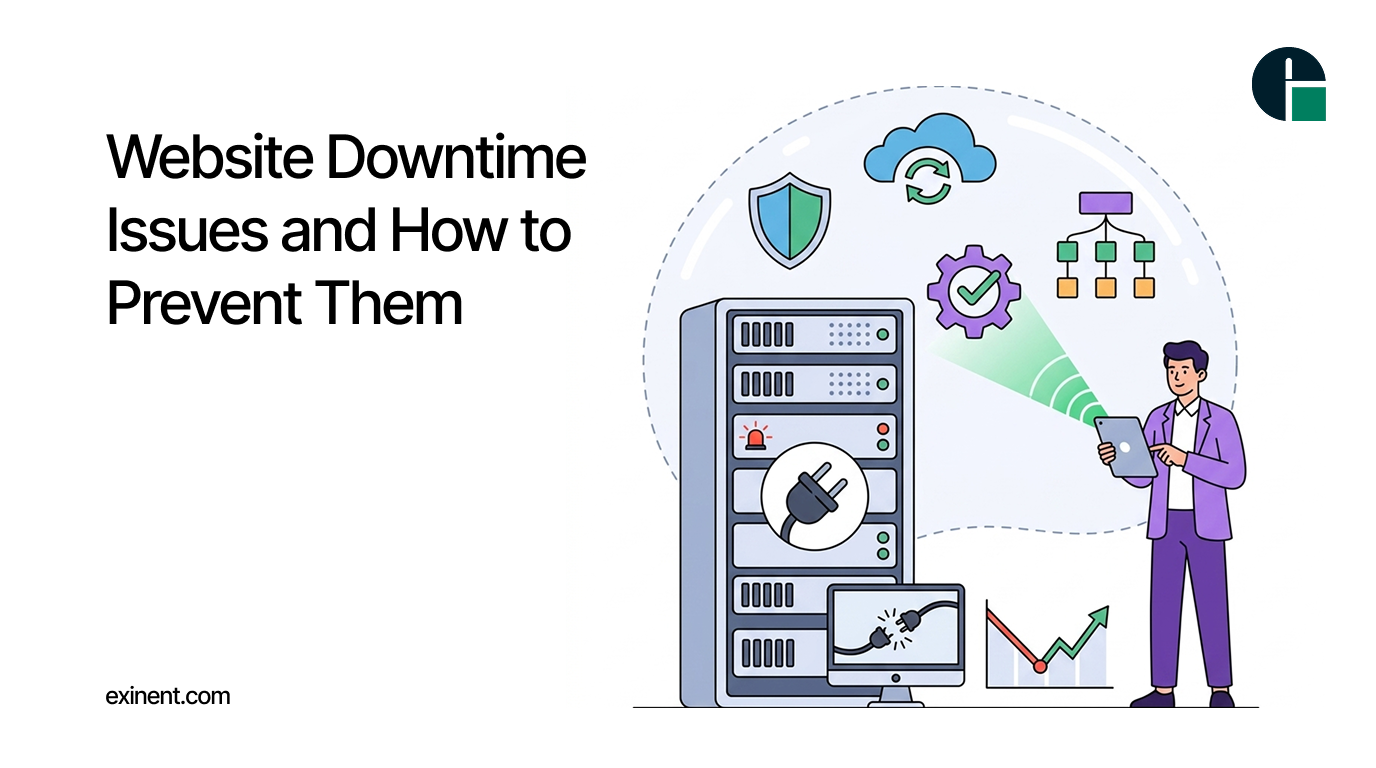
In today’s digital-first world, your website is often the face of your business. Whether you run an eCommerce store, a SaaS platform, or a corporate website, downtime can lead to lost revenue, poor user experience, and damaged brand trust. Even a few minutes of unavailability can impact customer confidence and search engine rankings.
This blog explores the causes of website downtime, Managed IT Services its impact, and practical strategies to prevent it—while aligning
What is Website Downtime?
Website downtime refers to any period when a website is inaccessible or not functioning properly. This could include complete outages, partial functionality issues, or slow performance that prevents users from completing actions.
Downtime can be:
- Planned (maintenance, updates)
- Unplanned (server crashes, cyberattacks)
Regardless of the type, minimizing downtime is critical for maintaining business continuity.
Common Website Downtime Issues
Understanding the root causes of downtime is the first step toward prevention. Below are the most common issues:
1. Server Failures and Hosting Problems
Websites rely on servers to function. If the server crashes or the hosting provider experiences outages, your site becomes unavailable.
2. Traffic Spikes
Sudden surges in traffic—such as during promotions or viral campaigns—can overload servers and cause crashes.
3. Cybersecurity Attacks
DDoS attacks, malware, and hacking attempts can disrupt website functionality or take it offline entirely.
4. Software Bugs and Updates
Faulty code, incompatible plugins, or untested updates can break your website.
5. DNS and Domain Issues
Incorrect DNS configurations or expired domain registrations can make your website unreachable.
6. Human Error
Mistakes such as misconfigurations, accidental deletions, or poor deployment practices often lead to downtime.
Impact of Website Downtime
Downtime affects businesses in several ways:
- Revenue Loss: Missed sales opportunities during outages
- SEO Impact: Search engines may reduce rankings due to frequent downtime
- Customer Trust: Users may lose confidence in your brand
- Operational Disruptions: Internal workflows may be affected
Even occasional downtime can increase bounce rates and reduce conversions over time.
Benefits of Preventing Website Downtime
Investing in downtime prevention offers several advantages:
- Improved user experience and customer satisfaction
- Higher search engine rankings
- Increased reliability and brand credibility
- Better business continuity and productivity
Businesses that prioritize uptime often outperform competitors in both performance and trust.
Challenges in Preventing Downtime
While prevention is essential, it comes with challenges:
- Complex infrastructure management
- Cost of high-quality hosting and tools
- Keeping up with security threats
- Managing frequent updates and integrations
This is where professional support like Managed IT Services becomes valuable. These services provide proactive monitoring, maintenance, and support to reduce downtime risks effectively.
Best Practices to Prevent Website Downtime
1. Invest in Reliable Hosting
Choose a hosting provider that offers:
- High uptime guarantees (99.9% or higher)
- Scalable infrastructure
- 24/7 technical support
Cloud hosting solutions are particularly effective for handling variable traffic loads.
2. Use Proactive Monitoring Tools
Website monitoring tools can detect downtime instantly and alert your team. These tools help identify issues before they escalate.
Monitoring should include:
- Server performance
- Website speed
- Security vulnerabilities
3. Implement Regular Backups
Always maintain automated daily backups of your website. In case of failure, you can quickly restore your site with minimal data loss.
4. Optimize Website Performance
A well-optimized website is less likely to crash under pressure. Key optimization steps include:
- Compressing images
- Minimizing code (CSS, JavaScript)
- Using Content Delivery Networks (CDNs)
5. Keep Software Updated
Regularly update your CMS, plugins, and themes to avoid compatibility issues and security vulnerabilities.
6. Strengthen Security Measures
Protect your website from cyber threats by:
- Installing firewalls
- Using SSL certificates
- Implementing DDoS protection
- Running regular security audits
7. Leverage Professional IT Support
Working with experts ensures your infrastructure is continuously monitored and optimized. Businesses often rely on Managed IT Services to handle performance, security, and uptime management efficiently.
8. Conduct Load Testing
Simulate high-traffic scenarios to identify potential bottlenecks. This helps prepare your website for real-world demand spikes.
Conclusion
Website downtime is a serious issue that can impact revenue, reputation, and user trust. However, most downtime incidents are preventable with the right strategies, tools, and expertise.
By investing in reliable hosting, proactive monitoring, strong security, and professional solutions like Managed IT Services, businesses can ensure maximum uptime and seamless user experiences.
FAQ’S :
What are the most common causes of website downtime?
Website downtime is usually caused by server failures, coding errors, traffic spikes, expired domains, or cyberattacks like DDoS attacks. Poor hosting services and outdated plugins can also increase downtime risks. Regular maintenance and monitoring help reduce these issues.
How can I prevent my website from going down during high traffic?
You can prevent downtime during traffic surges by using scalable cloud hosting, CDN services, and load balancing. Optimizing website speed and caching also improves performance. Many businesses use auto-scaling servers to handle sudden visitor increases.
Why does website downtime affect SEO rankings?
Search engines may lower rankings if your website is unavailable frequently. Downtime can stop search engine bots from crawling pages, which impacts indexing. Long outages also increase bounce rates and reduce user trust.
How much does website downtime cost a business?
The cost depends on business size, traffic, and industry. Small businesses may lose hundreds of dollars per hour, while large ecommerce websites can lose thousands. Downtime also affects customer trust, sales, and productivity.
What tools can I use to monitor website downtime?
Popular website monitoring tools include UptimeRobot, Pingdom, and GTmetrix. These tools send alerts when your website becomes unavailable. Many services also track page speed, uptime percentages, and server performance.
Can poor web hosting cause frequent website downtime?
Yes, unreliable hosting providers are one of the biggest reasons for downtime. Shared hosting plans with limited resources may struggle during high traffic. Choosing a reliable hosting provider with 99.9% uptime guarantees helps improve stability.
How do backups help prevent website downtime issues?
Regular backups help restore your website quickly after crashes, hacks, or server failures. Automated daily backups reduce recovery time and data loss. Keeping backups in multiple secure locations improves protection.
What is the best way to protect a website from DDoS attacks?
Using a firewall, CDN, and DDoS protection service is the best defense. Security providers like Cloudflare help filter malicious traffic before it reaches your server. Regular security updates also reduce vulnerabilities.
How often should website maintenance be performed to avoid downtime?
Basic website maintenance should be done weekly, while security checks and software updates should happen monthly. Ecommerce and high-traffic websites may require daily monitoring. Consistent maintenance helps detect issues before they cause downtime.
Is website downtime preventable for small businesses?
Most downtime issues can be reduced with proper hosting, monitoring, backups, and security practices. While no website can guarantee 100% uptime, proactive maintenance greatly lowers the risk. Small businesses benefit from managed IT and website support services.